Showing posts with label Kellie K. Show all posts

Thursday, January 13, 2011

December - Retouching Pictures + Calendar

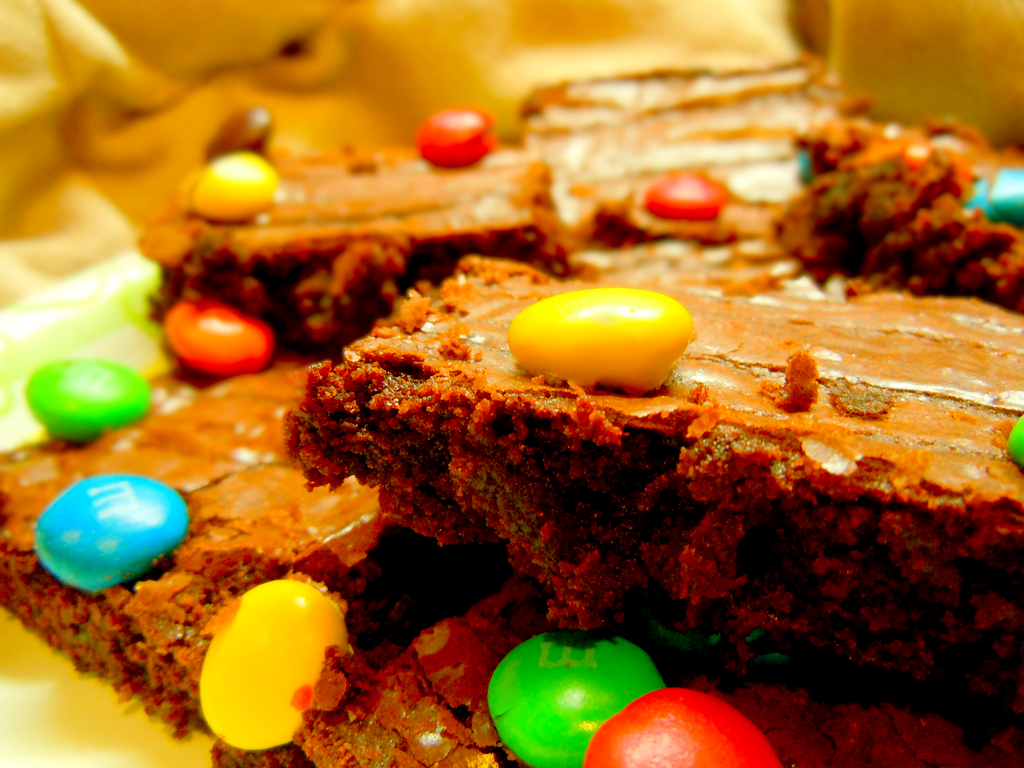
'Tis the season for brownies! This post includes my picture retouching progress, as well as the final look of the calendar.

1.
Original


First of all,  i changed the colour of the table by selecting it with the Quick Selection tool and then the Hue/Saturation adjustment.


Also, i applied the Levels tool which i rather useful in producing a deep effect of contrast. You'll need to try and test with the values to know what you want. Then i used the usual Colour Balance and Curves Tool.

2.
Original

Final

This picture has been retouched with the Colour Balance tool, Levels tool and Curves tool. You can see that the deep colour of the chocolate gives it a rich and supreme feel compared to the original one.

3.


The first thing i did was to get rid of the crack of the yellow M&M with the Spot Healing Brush tool and Smudge tool. I also used the Spot Healing Brush tool to remove some unwanted bits and pieces on the other M&Ms because they are very distracting. After that, i continued with the Colour Balance tool as well as the Levels tool to make the picture brighter.

Put together, the complete calendar looks like this:


Credits:
http://www.flickr.com/photos/trackstar_816/
http://www.flickr.com/photos/bettycrockerrecipes/

November - Retouching Pictures

Now, i'll be showing you my work on the calendar assignment. For the month November, i chose tarts - fruit tarts to be exact. The programmes i used are Adobe Photoshop CS4 and Adobe Illustrator CS4.

1.
Original

Final


For this image, i used Layer Mask to select the tarts and change the hue and saturation of the background to a duller shade, making the tarts stand out more.


Also, i selected the strawberries with the Magic Selection tool and changed the vibrance to make the red more pronounced.

2.
Original

Final

This time, i used the Colour Balance tool, Brightness/Contrast tool (easier to use compared to Curves) and Curves to retouch the photo. Once again, the tools are used to manipulate the vibrance of the red raspberries to capture viewers' attention.

3.


As for this last picture, i applied the same Adjustments before, but with different values.

Credits:
http://www.flickr.com/photos/myfeasts/
http://www.flickr.com/photos/85916641@N00/
http://www.flickr.com/photos/mellow_stuff/

Thursday, December 2, 2010

Progress of Calendar Assignment

After going through several samples and sketches of calendar formats, we've come up with the basic design of the calendar, like so:

Click to enlarge.
Some points to note:
• On the left is the space for the images of our designated subject - desserts.
• Grids are used to provide users of the calendar some space to make notes on the day itself.
• Both Malaysian and international holidays will be included, and will be added to the bottom of the box of their respective dates.

Feel free to leave a comment or critique about the design! :)